You are installed. Two minutes and you are running.
From now on, a small orb sits beside the chat box on ChatGPT, Claude and twenty two other sites. Type your rough idea, tap it once, and you get back the prompt you meant to write. Setting up takes about a minute and needs your first name and an email address.
How did you hear about us?
One tap. It tells us where to spend our time, and nothing else.
What it actually does
Three things, in the order you will meet them. These are real screens, not drawings.
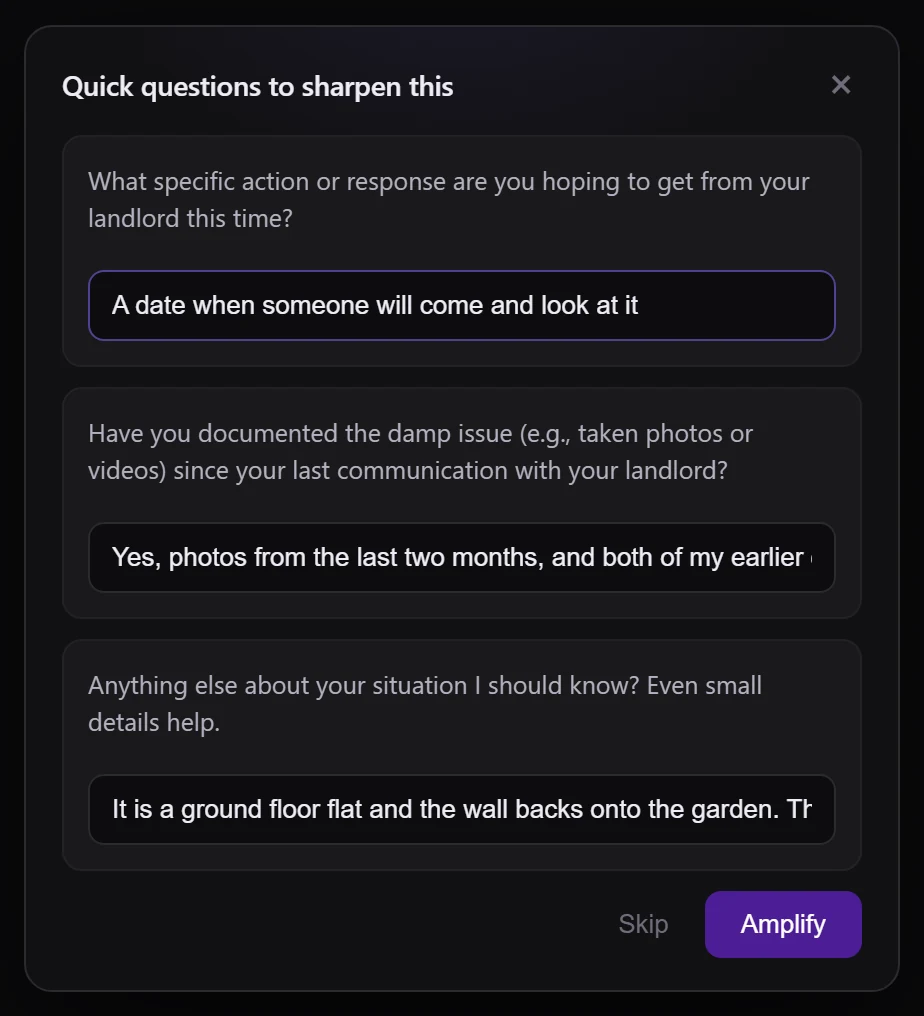
It asks before it writes
A rough idea is missing things only you know. It asks one or two short questions, usually answerable with a tap, and then uses your answers instead of guessing.
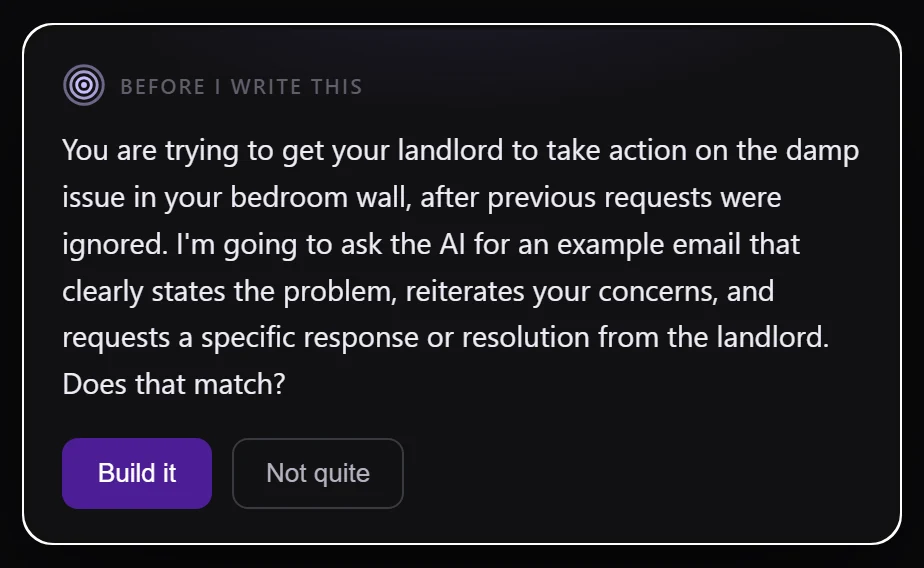
It shows you the plan first
Before it sends anything on your behalf, it says what it understood and what it is about to ask for. If that is wrong, correct it in a sentence and it changes course.
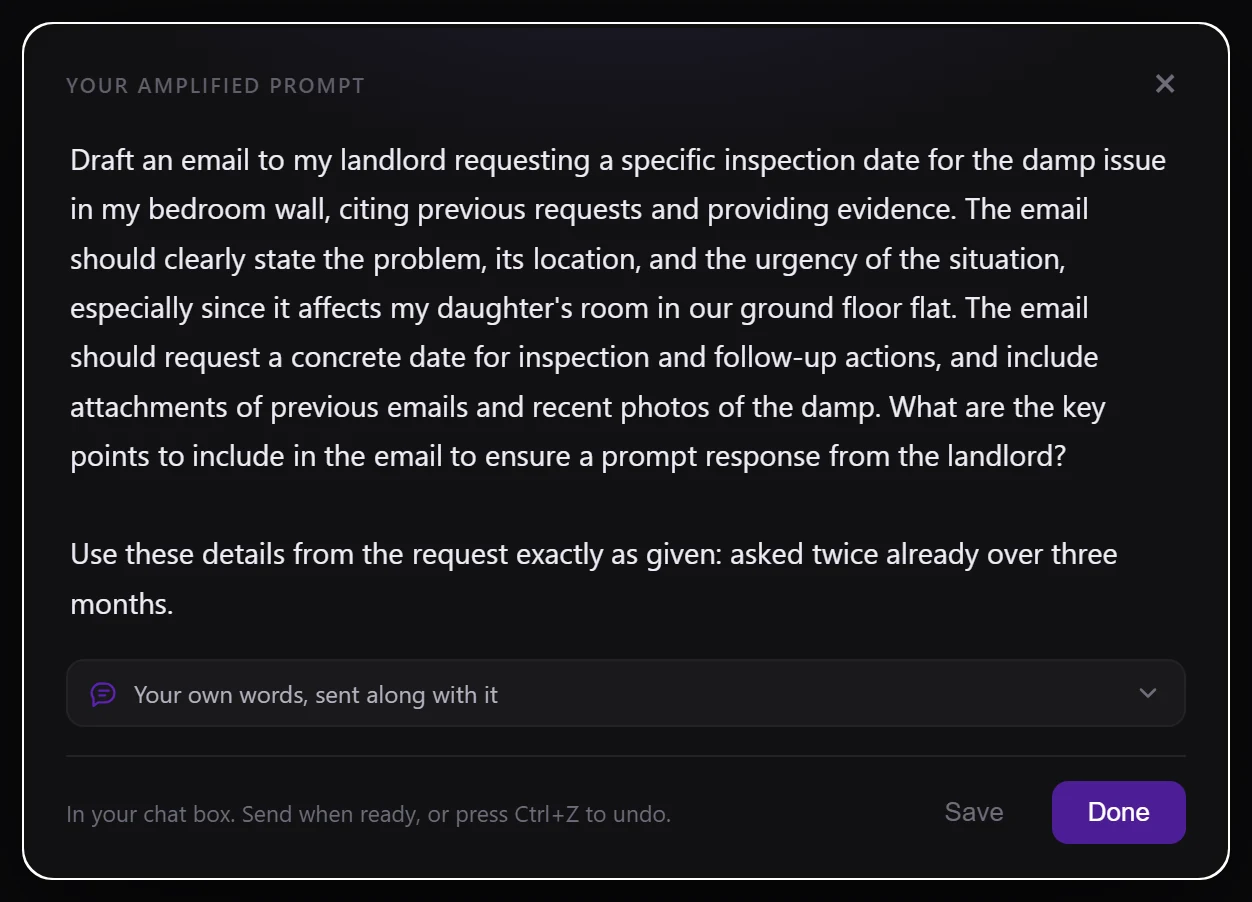
The prompt lands in your box
Ready to send, with a plain note of what it sharpened so you learn the moves. Do not like it? Press Ctrl and Z and your own words come straight back.
Create your account
Your first name and an email address. No password to invent and no card. The amplifier needs an account to run: it is what your allowance is counted against, what keeps your prompt history when you change machine, and what a plan belongs to if you ever buy one.
A little about you
Three questions, about twenty seconds, and they decide what we build next. Start typing to search a list, or open it and pick. If nothing on a list fits, choose Something else and say it in your own words.
Pick your plan
Free is already switched on and needs no card. Change or cancel whenever you like.
You are set. Go and use it.
Open a chat site, type something rough, and tap the orb. It walks you through the very first one.